

Introduction
The Unity Asset Store is an online marketplace and resource library designed for developers who use the Unity game engine. It provides a wide range of ready-made resources that can help developers create games and interactive experiences without building every component from scratch.
Game development often requires many different elements, including 3D models, 2D graphics, characters, environments, animations, audio, visual effects, textures, scripts, tools, plugins, and user interface components. Creating all of these resources independently can take considerable time. The Unity Asset Store gives developers access to existing resources that can be downloaded and integrated into Unity projects.
The platform includes both free and paid assets. Developers can search for specific resources, read product descriptions and reviews, check compatibility, and then add suitable assets to their projects.
Whether you are a beginner learning Unity, an indie developer working on a small game, or an experienced game development team, understanding how the Unity Asset Store works can make your development workflow easier.
What Is Unity Asset Store?
The Unity Asset Store is a digital marketplace where developers can find assets and development resources for Unity projects.
Assets available through the marketplace can include 3D models, 2D graphics, animations, audio files, textures, materials, visual effects, scripts, tools, templates, and editor extensions.
Some assets are completely free, while others are paid products created by independent publishers or development companies.
The main purpose of the Asset Store is to give developers access to reusable resources. Instead of creating every model, animation, sound effect, or development tool themselves, developers can search the marketplace for something that matches their project requirements.
For example, a developer creating a fantasy game may need medieval buildings, characters, weapons, trees, animations, and sound effects. Instead of creating everything manually, the developer can search for appropriate Unity assets and evaluate available packages.
How Does the Unity Asset Store Work?
The basic process is simple.
First, developers search the Asset Store for a particular type of resource. They can use keywords related to their project, such as “low poly characters,” “fantasy environment,” “mobile UI,” or “Unity animation.”
After finding an asset, developers can open its product page and review important information. This may include screenshots, descriptions, supported Unity versions, publisher information, reviews, ratings, and licensing details.
Free assets can generally be added to the user’s asset library, while paid assets require a purchase.
Once an asset is available in the user’s library, it can be downloaded and managed through Unity’s package management workflow. Developers can then import the required resources into their Unity project.
This process allows developers to reuse existing resources instead of creating every component from the beginning.
What Can You Find on the Unity Asset Store?
The Unity Asset Store contains many different types of development resources. The exact selection changes over time as publishers add, update, or remove products.
3D Models
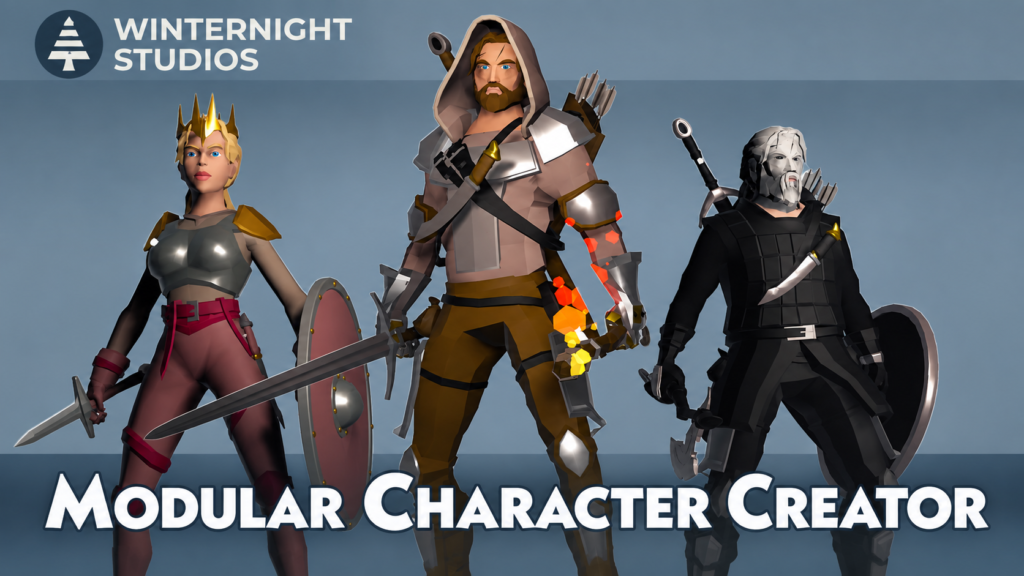
3D models are one of the most common types of Unity assets.
Developers can find models for:
- Characters
- Vehicles
- Buildings
- Weapons
- Furniture
- Animals
- Trees
- Props
- Environment objects
- Fantasy creatures
These models can be useful for creating game environments and interactive scenes.
2D Assets
The Asset Store also contains resources for 2D games.
Examples include:
- Sprites
- Backgrounds
- Icons
- 2D characters
- Tilesets
- UI graphics
- Game menus
- Buttons
These resources can help developers create 2D games and interfaces.
Animations
Animations bring characters and objects to life.
Unity Asset Store animation packages may contain resources for:
- Walking
- Running
- Jumping
- Fighting
- Dancing
- Swimming
- Character interactions
- Object movement
Using ready-made animations can reduce the amount of animation work required during development.
Audio and Music
Audio is another important part of game development.
Developers can find:
- Background music
- Sound effects
- Footstep sounds
- Weapon sounds
- Environmental sounds
- UI sounds
- Ambient audio
Good audio resources can help create a more complete game experience.
Visual Effects
Visual effects can be used to make games more visually interesting.
Examples include:
- Fire effects
- Smoke
- Explosions
- Magic effects
- Weather effects
- Lightning
- Particle effects
- Energy effects
Developers can use these resources to create effects without manually building every visual effect from scratch.
Tools and Plugins
The Unity Asset Store is not limited to visual content. It also contains development tools and plugins.
These may help developers with:
- Level design
- Animation
- Artificial intelligence
- UI development
- Editor workflows
- Character systems
- Game mechanics
- Project management
Such tools can provide additional functionality inside the Unity Editor.
Templates and Complete Projects
Some Asset Store products provide templates or project examples.
These resources can be particularly useful for beginners who want to study how different Unity systems are organized.
A template may provide a starting structure that developers can customize for their own project.
Free vs Paid Unity Assets
One of the most common questions beginners have is whether Unity Asset Store assets are free.
The answer is that the marketplace contains both free and paid assets.
Free Unity Assets
Free assets can be useful for beginners, prototypes, experiments, and smaller projects.
However, “free” does not automatically mean that an asset can be used in any way without restrictions. Developers should still read the product’s license and usage conditions.
Before using a free asset, check:
- License
- Compatibility
- Publisher
- Documentation
- Reviews
- Dependencies
- Update information
Paid Unity Assets
Paid assets can include specialized tools, large asset packs, professional models, animation systems, development frameworks, and other resources.
Before purchasing a paid asset, developers should consider more than the price.
Important factors include:
- Features
- Quality
- Compatibility
- Documentation
- Support
- Reviews
- Publisher history
- License
- Project requirements
A more expensive asset is not automatically the right choice for every project.
How to Find the Right Unity Asset
There are many assets available, so choosing the right one requires some research.
Use Specific Search Terms
Instead of searching for a very broad term such as “3D assets,” use specific keywords.
For example:
Low poly fantasy environment
can produce more relevant results than simply searching for:
3D assets
Specific searches make it easier to find resources that match your project.
Check Product Reviews
Reviews can provide useful information about how an asset works in real projects.
Look for comments about:
- Installation
- Performance
- Compatibility
- Documentation
- Bugs
- Updates
- Customer support
Reviews should be considered alongside the official product description rather than used as the only source of information.
Check Compatibility
Compatibility is extremely important.
Before downloading or purchasing an asset, check whether it supports your Unity version and project setup.
Some assets may also depend on particular rendering pipelines, packages, or other tools.
Read the Product Description
Do not purchase an asset only because its screenshots look good.
Read the complete description to understand:
- What is included
- What is not included
- Supported versions
- Dependencies
- Features
- Requirements
- License information
Check the Publisher
The publisher’s profile can provide additional context about their other products and support information.
How to Download Unity Asset Store Assets
Downloading an asset generally starts with finding Unity Asset Store the required product on the Asset Store.
The basic process is:
- Open the Unity Asset Store.
- Sign in with your Unity account.
- Search for the required asset.
- Open the asset’s product page.
- Review the description and requirements.
- Check the license information.
- Add a free asset to your library or purchase a paid asset.
- Open Unity and sign in to the same account.
- Open Package Manager.
- Find the asset under your available assets.
- Download the required package.
The exact interface can change as Unity updates its services, so users should follow the current Unity documentation when the interface differs.
How to Import Unity Assets Into a Project
After downloading an asset, the next step is usually importing it into your Unity project.
Unity provides the Package Manager for managing packages and Asset Store resources.
A general workflow looks like this:
Asset Store → My Assets → Package Manager → Download → Import
After importing, the package contents may appear inside the project’s Assets area.
Depending on the package, you may need to configure settings or follow additional installation instructions.
Some tools require extra setup before they can be used properly.
What Is a Unity Asset Package?
A Unity asset package is a collection of files and resources designed to be used in Unity projects.
Packages can contain different types of content, including:
- Models
- Textures
- Materials
- Scripts
- Animations
- Audio
- Prefabs
- Scenes
- Documentation
Unity’s package ecosystem includes traditional asset packages as well as packages managed through the Unity Package Manager.
Understanding the difference can help developers manage their projects more effectively.
Unity Package Manager
The Unity Package Manager is an important part of the Unity development environment.
It allows developers to manage packages used by their projects.
Depending on the package, developers may be able to:
- Download packages
- Import packages
- Update packages
- Remove packages
- Review package information
- Manage dependencies
Asset Store resources can appear in the Package Manager through the user’s asset library.
This makes it easier to organize and use downloaded development resources.
How Much Do Unity Asset Store Assets Cost?
There is no single price for Unity Asset Store assets.
Some assets are free, while paid products can have different prices depending on their size, functionality, complexity, and publisher.
For example, a simple asset pack may cost less than a large development framework or complete environment package.
Prices and promotions can change, so developers should always check the current product page before making a purchase.
When comparing products, consider the overall value rather than price alone.
Are Unity Asset Store Assets Safe to Use?
Developers should evaluate assets before adding them to important projects.
A good evaluation process includes checking:
- Publisher information
- Product reviews
- Compatibility
- Documentation
- Dependencies
- Update history
- License
- Support information
This is especially important for packages that contain scripts or tools.
Developers should understand what a package does before integrating it into a production project.
Keeping project backups before installing major packages is also a useful development practice.
Understanding Unity Asset Store Licensing
Licensing is one of the most important topics when using Unity Asset Store resources.
When you obtain an asset, you generally receive rights to use it under the applicable license. You do not automatically receive unrestricted ownership or permission to redistribute the original asset files.
This distinction is important for developers working on commercial projects.
For example, using a 3D model inside a game can be different from taking the original model file and distributing it separately.
Therefore, always read the license and EULA associated with the asset before using it in a commercial product or sharing it with other people.
Can You Use Unity Assets in Commercial Games?
Asset Store assets can be used in commercial projects when the applicable license permits that use.
However, developers should carefully review the specific license conditions.
Commercial use does not necessarily mean that the original asset files can be redistributed independently.
For example, an asset may be incorporated into a finished game while separate redistribution of the source asset may be restricted.
If you are developing a commercial game, review the current license terms before publishing the product.
Can You Modify Unity Asset Store Assets?
Modification rights depend on the asset and its applicable license.
Some assets can be customized for use in a project, while particular types of assets may have additional restrictions.
For example, developers may want to change textures, materials, colors, models, or other components.
Before making substantial modifications, read the asset’s license and documentation to understand what is permitted.
Benefits of Using Unity Asset Store
The Unity Asset Store can provide several practical benefits for game developers.
Saves Development Time
Creating every model, animation, sound, and tool from scratch can take significant time.
Ready-made resources can help developers focus on other parts of the game.
Useful for Prototyping
Developers can use existing assets when testing game ideas.
This can make it easier to build a playable prototype before creating final art.
Provides Development Tools
The marketplace contains more than visual assets.
Developers can also find tools and plugins that can help with specific development tasks.
Helpful for Indie Developers
Small teams often have limited time and resources.
Ready-made resources can provide additional options when building a game with a small team.
Supports Different Game Types
Developers can search for assets suitable for many different genres, including:
- RPGs
- Racing games
- Horror games
- Strategy games
- Platformers
- Mobile games
- Simulation games
- Adventure games
The availability of suitable assets depends on the current marketplace catalog.
Unity Asset Store for Beginners
Beginners can use the Asset Store to experiment with Unity projects.
For example, a new developer might download a free environment pack and use it to practice:
- Scene building
- Lighting
- Materials
- Game objects
- Prefabs
- Camera systems
- Basic scripting
The Asset Store can also help beginners understand how professionally prepared resources are structured.
However, beginners should not depend completely on ready-made assets. Learning Unity fundamentals, scripting, scenes, components, physics, UI, and game logic remains important.
Unity Asset Store for Indie Developers
Indie developers often need to balance development time, budget, and project quality.
Asset Store resources can provide additional options for small development teams.
For example, an indie team might use ready-made environment assets while spending more development time on:
- Game mechanics
- Story
- Level design
- Gameplay systems
- Optimization
- User experience
The important point is to choose assets that fit the project’s technical and visual requirements.
Can Developers Sell Assets on Unity Asset Store?
Yes, developers can publish their own assets on the Unity Asset Store.
Creators can develop resources such as:
- 3D models
- 2D assets
- Tools
- Plugins
- Editor extensions
- Development systems
- Templates
Publishing an asset requires preparing the product according to Unity’s publishing requirements.
A good product listing should provide clear information about the asset, its features, requirements, compatibility, documentation, and usage.
How to Become a Unity Asset Store Publisher
Developers interested in selling assets can create a publisher profile and prepare their product for submission.
A general publishing workflow includes:
- Create or use a Unity account.
- Set up a publisher profile.
- Prepare the asset package.
- Test the package.
- Create product information.
- Add screenshots and promotional materials.
- Provide documentation.
- Review the submission requirements.
- Submit the product.
- Address any issues identified during review.
- Publish the product after approval.
Publishers should make sure their products meet the current Unity submission requirements before submitting them.
Tips for Choosing the Best Unity Assets
There is no single “best” Unity asset for every developer.
The right asset depends on the project.
Match the Asset to Your Project
Choose an asset that fits your game’s art style, technical requirements, and gameplay.
Check Unity Compatibility
Always verify that the asset supports your Unity version and required systems.
Review Documentation
Good documentation can make installation and configuration easier.
Check Dependencies
Some assets require additional packages or systems.
Read Reviews
Reviews can reveal practical information that may not be obvious from screenshots.
Understand the License
Especially for commercial projects, licensing should be checked before using an asset.
Test Before Full Integration
If possible, test important assets in a separate project or development branch before integrating them into a large production project.
Common Unity Asset Store Mistakes
Ignoring License Information
Downloading an asset without understanding its license can cause problems later.
Ignoring Compatibility
An incompatible asset may create technical issues.
Installing Too Many Packages
Adding unnecessary packages can make a project more difficult to manage.
Not Reading Documentation
Some assets require specific installation or configuration steps.
Choosing an Asset Only Because It Is Cheap
Price should not be the only factor. Compatibility, quality, support, and license are also important.
Ignoring Dependencies
A package may depend on other systems or packages.
Not Testing Assets
Important packages should be tested before being deeply integrated into a production project.
Frequently Asked Questions
What Is Unity Asset Store?
Unity Asset Store is an online marketplace where Unity developers can find game development resources such as 3D models, 2D assets, animations, audio, tools, plugins, templates, and other development resources.
Is Unity Asset Store Free?
The Unity Asset Store contains both free and paid assets. Free assets can be added to a user’s asset library, while paid products require purchase.
How Do I Download Unity Assets?
Find an asset on the Unity Asset Store, add or purchase it, then access it through Unity’s package management workflow using the same Unity account.
How Do I Import Assets Into Unity?
Downloaded Asset Store resources can generally be managed through Unity Package Manager and then imported into the appropriate project.
Can I Use Unity Assets in a Commercial Game?
Commercial use depends on the applicable asset license. Developers should read the license terms before using an asset in a commercial product.
Can I Sell Unity Assets?
Developers can create and submit their own assets for publication on the Unity Asset Store, subject to Unity’s publishing requirements.
Are Free Unity Assets Good for Beginners?
Free assets can be useful for beginners who want to practice, prototype, or learn Unity. However, beginners should still check compatibility, documentation, and licensing.
What Types of Assets Are Available?
The marketplace can include 3D models, 2D graphics, animations, audio, textures, materials, VFX, scripts, tools, plugins, templates, and other development resources.
What Is Unity Package Manager?
Unity Package Manager is a system used to manage packages within Unity projects. It can also be used to access and manage Asset Store packages available to the user’s account.
Can I Modify Unity Asset Store Assets?
Modification depends on the asset and its license. Developers should check the applicable license before modifying or redistributing an asset.
Conclusion
The Unity Asset Store provides developers with a large collection of resources that can support game development and interactive projects. From 3D models and 2D graphics to animations, audio, visual effects, tools, plugins, and templates, developers can find many different types of resources for their Unity projects.
For beginners, the Asset Store can be useful for learning and experimentation. For indie developers, ready-made assets can help reduce some of the work involved in building a game. Experienced developers can also use specialized tools and packages to support their development workflows.
However, choosing an asset should involve more than looking at screenshots or price. Developers should check compatibility, reviews, documentation, dependencies, publisher information, and licensing before using a package.
The most important thing to remember is that an Asset Store download does not automatically give unlimited rights to redistribute the original asset. Always check the applicable license, especially when working on commercial projects.
When used carefully, the Unity Asset Store can be a useful resource for developers who want to build, prototype, experiment, and improve their Unity projects more efficiently.